Fresh run
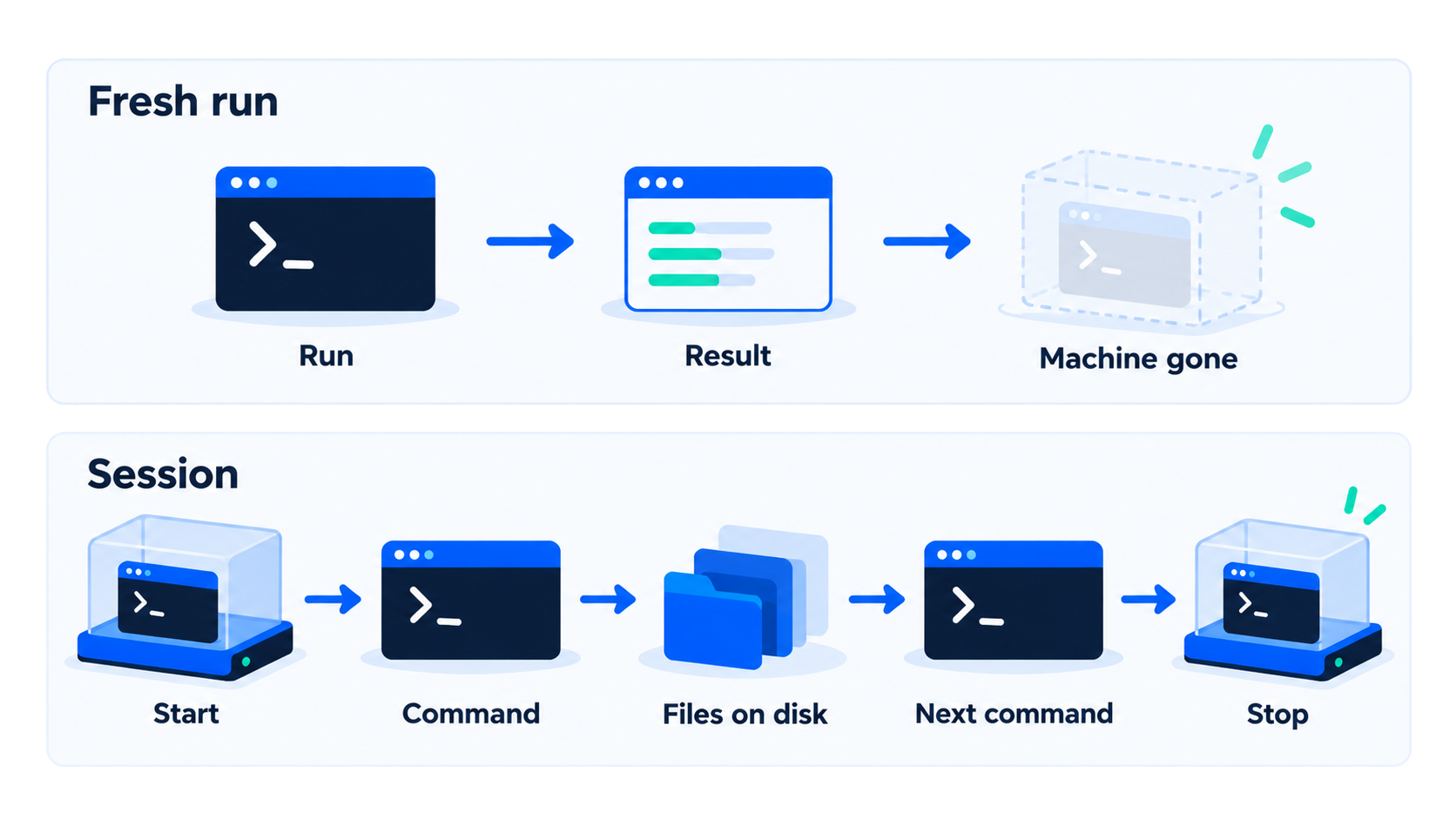
Provision a machine, execute one command, collect the result, tear the machine down. Use it when each user or request must start clean.

Sandboxes · Code
Stdout, files, and resource limits. A fresh machine for every run, or one session that keeps the files between commands.
You send a command into a separate machine. You read the process result in your application.
| You provide | You receive |
|---|---|
| Image and command (argv) | Standard output and standard error |
| Files you copy in, or a directory you mount | Exit code |
| Duration and peak memory, when the result includes them |
Standard input and fetching a file back are in the API where that path is confirmed. Check the docs before you depend on them for a batch run.
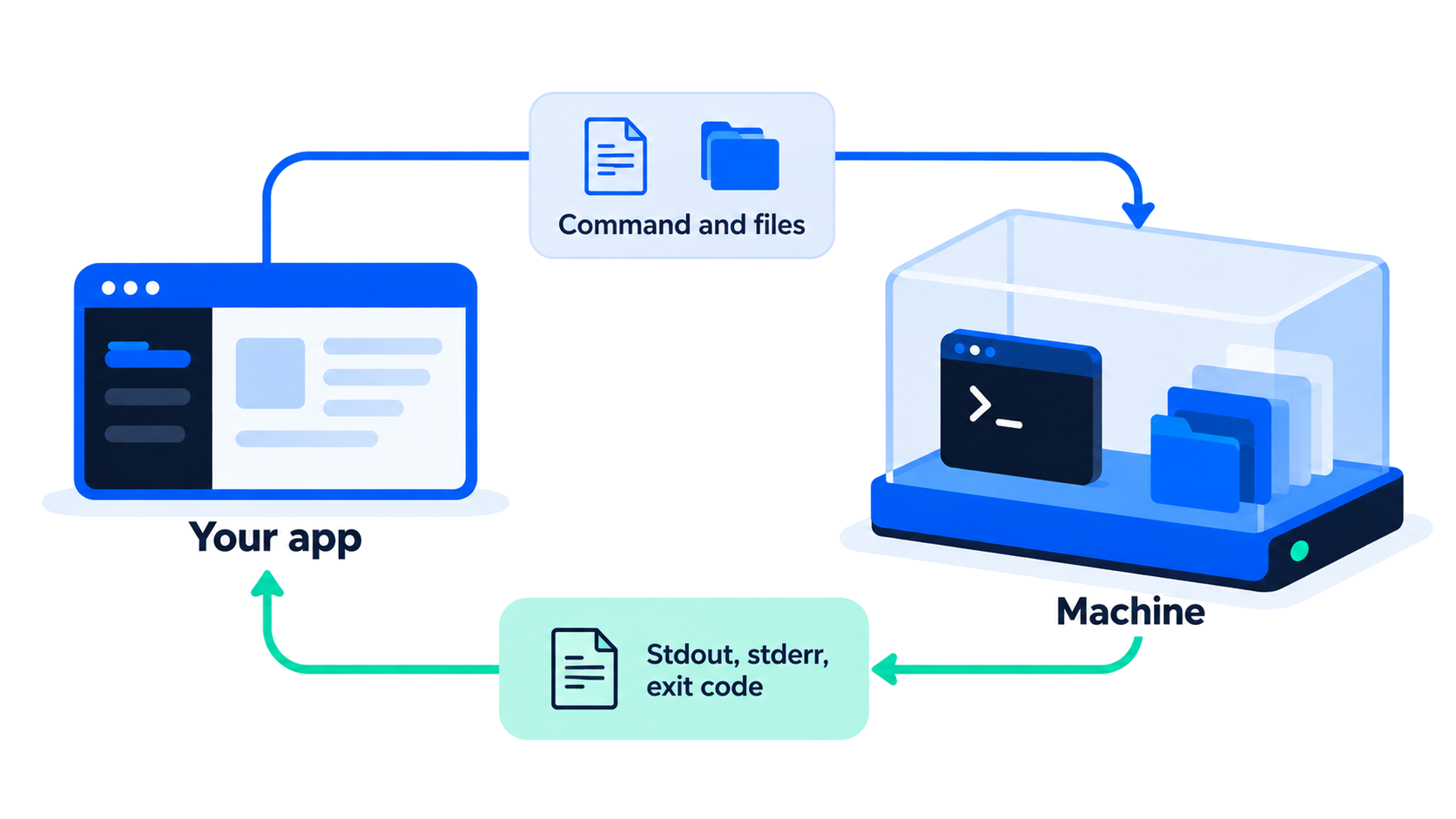
Provision a machine, execute one command, collect the result, tear the machine down. Use it when each user or request must start clean.
Start once, run several commands, keep files on the session disk between them, then stop. The next command sees those files. It does not, on this page, promise that Python or Node variables stay in memory.
Both paths return the same kind of process result. You choose the lifecycle.
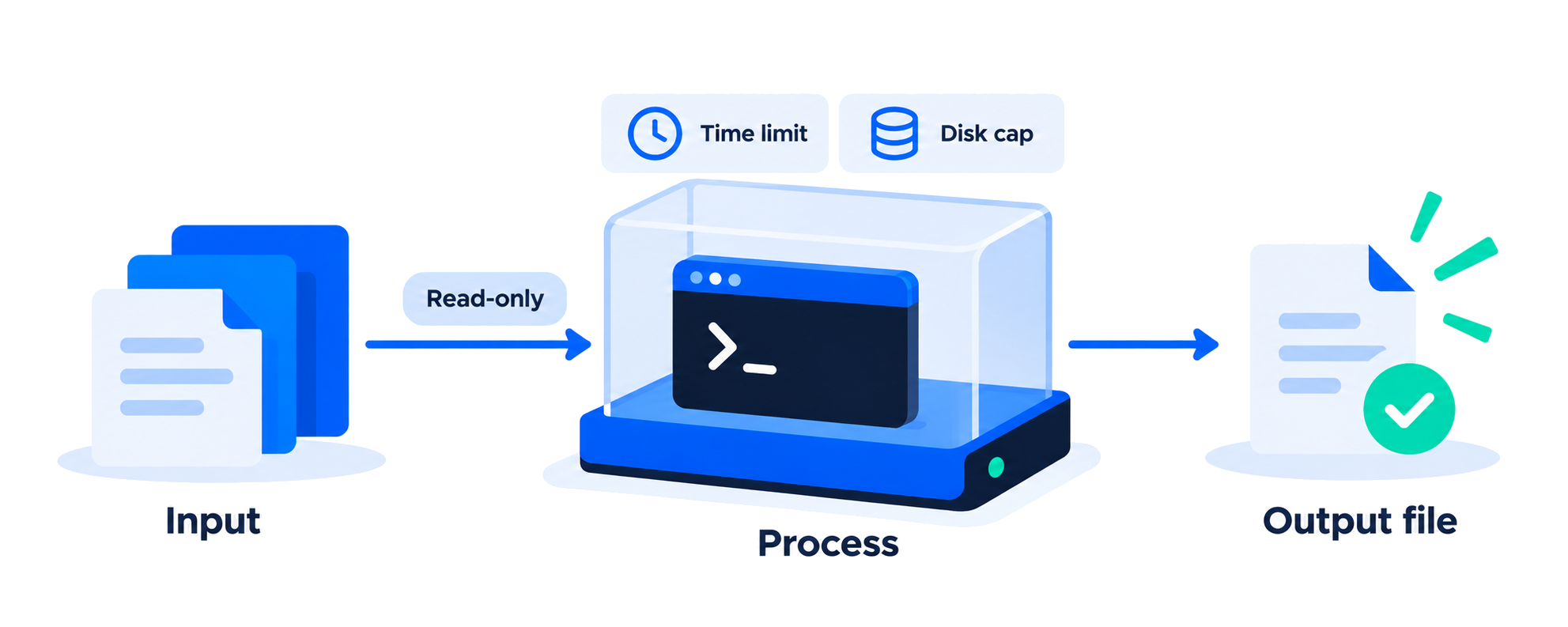
124.
By default the guest has no path to the public internet. When a snippet must install a package or call an API, turn networking on and name the hosts it may reach.
Create an account and make a first run or a short session. For volume or a security review, talk to us.